Select your files
Choose the Excel source and the approved Excel, Word, PDF, or PowerPoint template your team uses.
FriendlyFill reliably turns spreadsheet data into standardized business documents using your approved templates. It is easy to use, AI-free, and keeps sensitive files on your machine.
Repurpose up to a full workday each month for analysis, client service, and other higher-ROI work.

No coding, AI prompts, or cloud uploads. Use the files and approved templates your team already trusts.
Choose the Excel source and the approved Excel, Word, PDF, or PowerPoint template your team uses.
Connect spreadsheet values to the right fields, then save the mapping for a consistent repeatable workflow.
Create standardized outputs in minutes, review the result, and return your team to higher-value work.
FriendlyFill began with a real daily workload, not a hypothetical automation demo. The first MVP was used immediately to reduce repetitive document preparation and create more time for analysis.
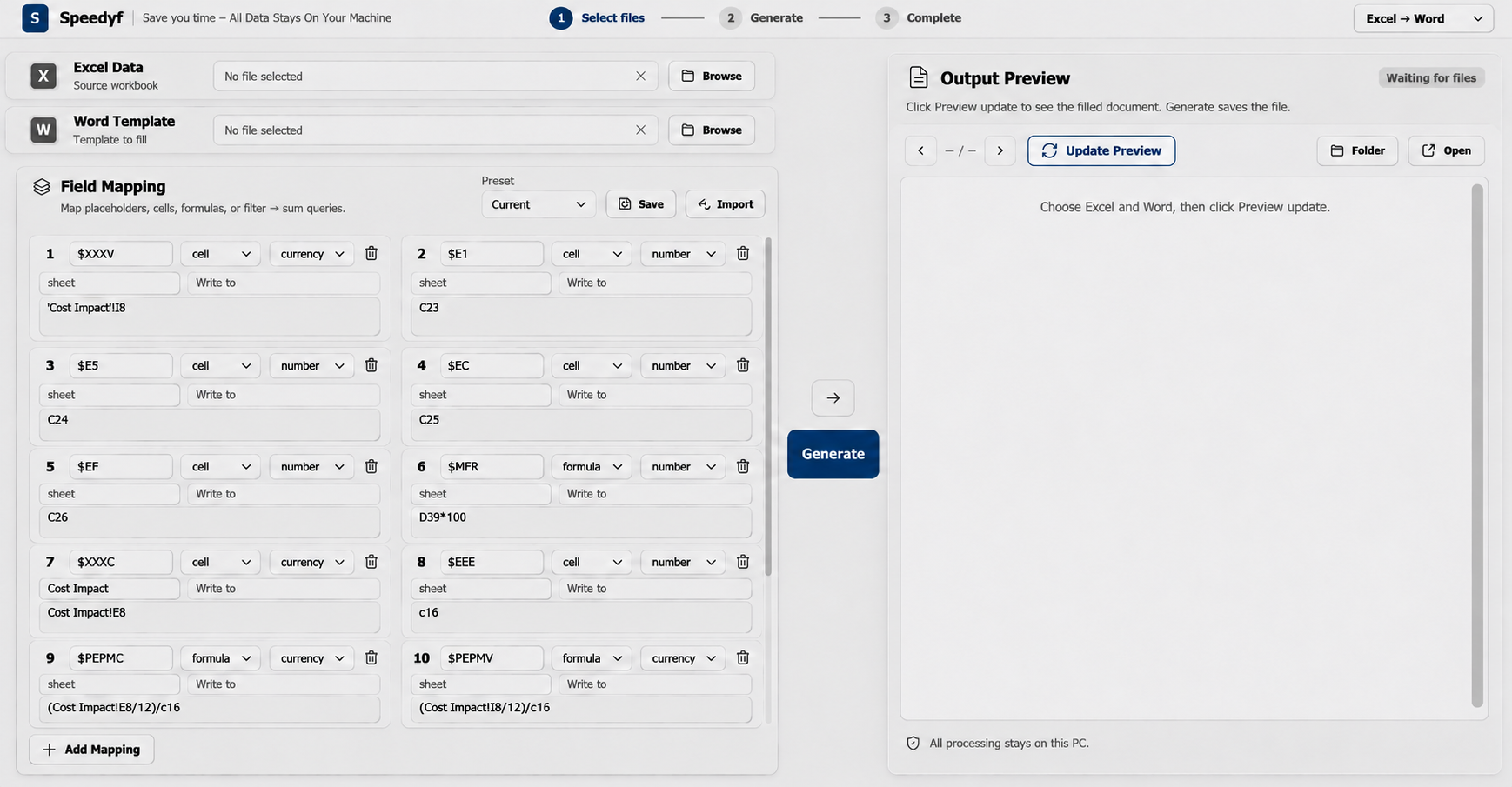
Analysts in healthcare, insurance, banking, and other sensitive industries often work with client information that should not be submitted to external AI services. FriendlyFill processes source files locally and does not require AI to generate your documents.
Have another question? Email hello@friendlyfill.com.
FriendlyFill supports Excel-to-Excel, Excel-to-Word, Excel-to-PDF, and Excel-to-PowerPoint workflows using your source data and approved templates.
No. This version of FriendlyFill is AI-free. It uses the mappings and templates you define to create repeatable outputs without prompts, AI tokens, or model-based generation.
No. FriendlyFill is designed to process your spreadsheet, template, mapping, and finished documents locally on your machine. Account and licensing information is handled separately.
No. FriendlyFill uses a visual mapping workflow for analysts and business users. Select the files, connect the fields, and generate the output.
Your team maps data into the approved templates it already uses. Saved mappings make recurring work easier to repeat and reduce avoidable copying and formatting differences.
See how FriendlyFill can return analyst time to higher-ROI work without adding headcount.